> For the complete documentation index, see [llms.txt](https://docs.personaldiscount.io/llms.txt). Markdown versions of documentation pages are available by appending `.md` to page URLs; this page is available as [Markdown](https://docs.personaldiscount.io/discounteo-for-shopify/troubleshooting/qr-codes-are-not-applied-at-shopify-pos-checkout.md).

# QR codes are not applied at Shopify POS checkout

By default, Discounteo QR codes contain the discount code as plain text. Shopify POS requires discount codes to be provided as discount URLs.

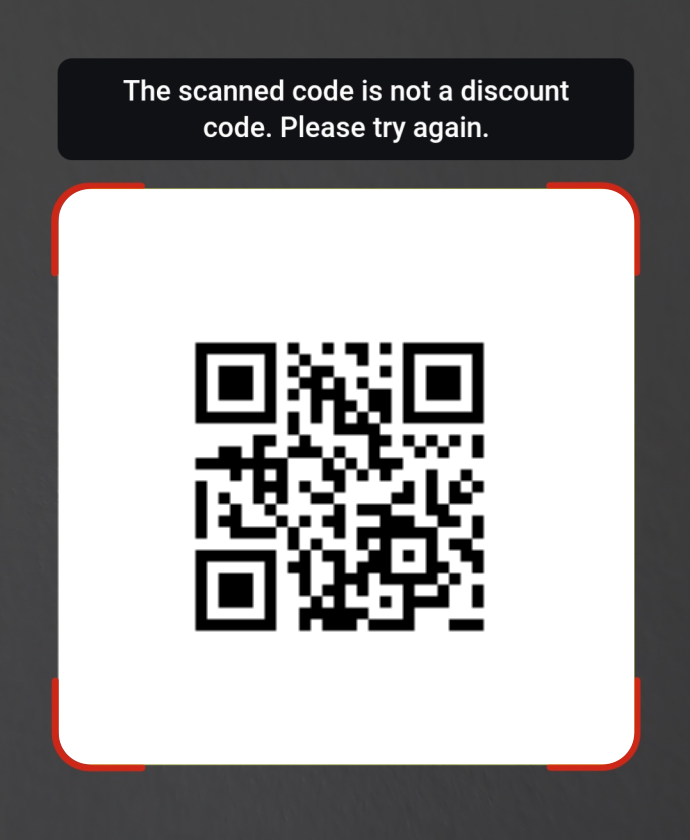
If Shopify POS displays the following error when scanning a Discounteo QR code:

<figure><img src="https://3731721370-files.gitbook.io/~/files/v0/b/gitbook-x-prod.appspot.com/o/spaces%2F-LZdVZovthV0SPlgxS6Y%2Fuploads%2FOG0ZQqq1WGXSwdvzN9Tj%2Fshopify-pos-qr-discount-code-error.png?alt=media&amp;token=b085773c-8d56-4f03-b178-2778f386802e" alt="Shopify POS QR code discount code error" width="345"><figcaption><p>Shopify POS error when scanning a QR code with a Discounteo discount code</p></figcaption></figure>

Change the QR code format:

1. Open the Discounteo automation.
2. Go to the **Email** section.
3. Next to **QR code contains**, select **Discount link**.

<figure><img src="https://3731721370-files.gitbook.io/~/files/v0/b/gitbook-x-prod.appspot.com/o/spaces%2F-LZdVZovthV0SPlgxS6Y%2Fuploads%2FVbVlfMyEgtijUJqAmO1E%2Fdiscounteo-qr-code-with-discount-link-settings.png?alt=media&amp;token=207e12ea-54dc-4971-9b81-338b8d666612" alt="Discounteo QR code with discount link settings"><figcaption><p>Caption: Discounteo QR code settings with a discount link</p></figcaption></figure>

QR codes generated after this change will contain a discount link that Shopify POS can scan and apply at checkout.

<figure><img src="https://3731721370-files.gitbook.io/~/files/v0/b/gitbook-x-prod.appspot.com/o/spaces%2F-LZdVZovthV0SPlgxS6Y%2Fuploads%2F4tW9s8YzBs1BOLqvzFqx%2Fshopify-pos-qr-code-discount-code-from-shopify-applied.gif?alt=media&amp;token=bbc50db3-565d-40e0-93ed-dbc745cbe059" alt="Shopify POS QR code with Discounteo discount code applied" width="200"><figcaption><p>Shopify POS with a discount code from Discounteo applied after scanning a QR code</p></figcaption></figure>
